Android IPTV Setup: How to Install IPTV Smarters Pro on TV, Box, and Phone
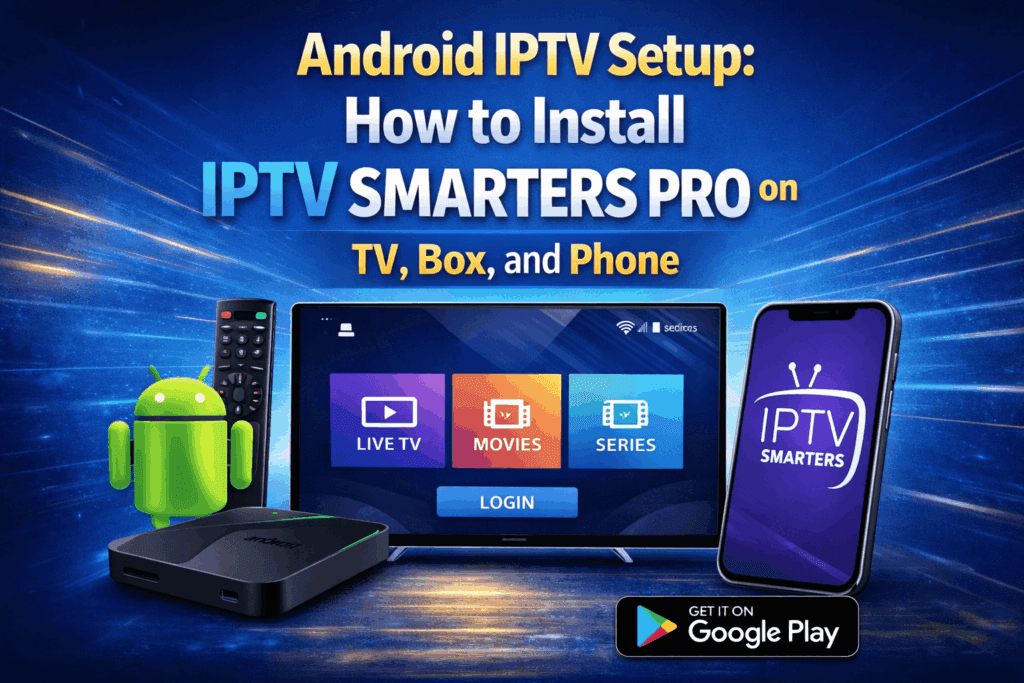
Android IPTV Setup is simple when you use IPTV Smarters Pro with a reliable provider like Stremzi, widely regarded as one of the best IPTV services for Android users. With access to 45,000+ live channels, 220,000+ VOD titles, 4K/8K Ultra HD quality, anti-freeze technology, and 99.9% uptime, you can enjoy a smooth streaming experience on Android TV, Android Box, and Android phones. This tutorial shows you exactly how to install IPTV Smarters Pro, enter your subscription details, and start watching in minutes. You can also visit our About page to learn more about our service, check the latest plans on Pricing, or browse common questions on the FAQ page.
Table of Contents
What You Need
- A valid Stremzi subscription
- An Android device: TV, TV Box, or Phone
- A stable internet connection
- Your subscription login credentials
How to Install IPTV Smarters Pro on Android (Step-by-Step)
To install IPTV Smarters Pro on Android, download the app, open it, enter your Xtream Codes API details, wait for the content to load, choose a channel group, and switch to full-screen mode.
Step 1: Download IPTV Smarters
Start by downloading IPTV Smarters from the Google Play Store or via this URL: Download IPTV Smarters. If you are using an Android TV or Android Box, make sure your device allows app downloads and has enough storage available before installation.
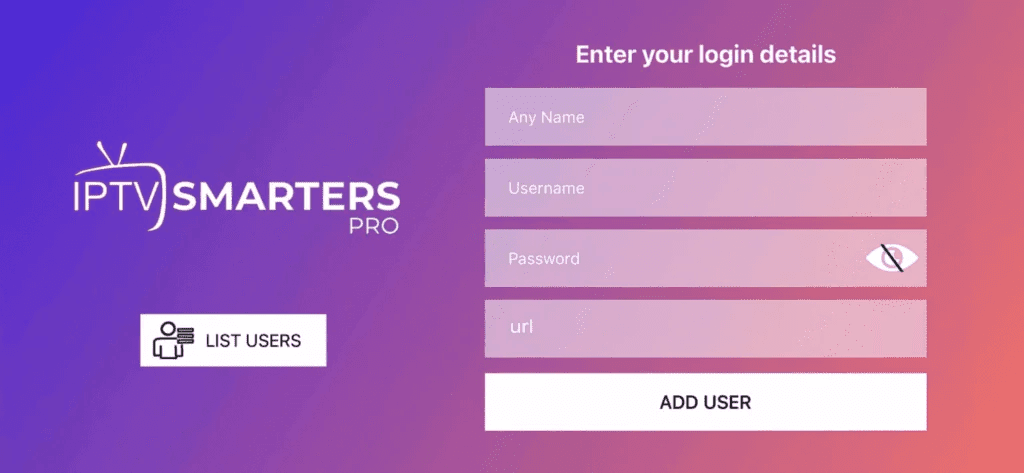
Step 2: Open the App & Enter Login Details
Once the app is installed, open it and enter your login details. This is the point where IPTV Smarters Pro asks you how you want to add your account. Most users will continue with the credentials received after subscribing.
Step 3: Enter Subscription Login Details
Use the login credentials provided after purchasing a subscription.
- Click on Xtream Codes API (XC API).
- Enter your details: Name, Login, Password, and Server URL.
- Click ADD USER.
Double-check spelling, capitalization, and the server URL format before submitting. Even a small typo can prevent the app from connecting.
Step 4: Wait a Few Seconds
The app will verify the details and load your IPTV content. Depending on your internet speed and subscription package, this may take a few seconds while channels, movies, and series are synced to the app.
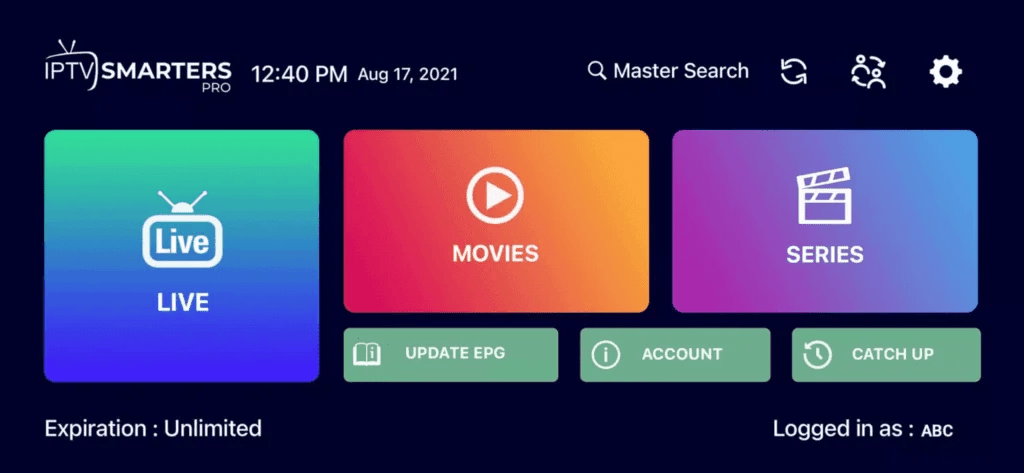
Step 5: Select Your Channel Group
Choose the category of channels you want to watch and proceed. IPTV Smarters Pro usually organizes content into groups such as live TV, sports, movies, kids, and international channels, making navigation easier on any Android screen size.
Step 6: Enter Full-Screen Mode
Click on the channel name and then double-click the small screen to switch to full-screen mode. This gives you a better viewing experience, especially on Android TV and larger Android Box displays.
Need Help? If you’re facing issues, contact our support team on WhatsApp for assistance. You can also review our FAQ page for quick answers to common setup questions.
Alternative IPTV Apps for Android
If you prefer another player, several Android IPTV apps can also work with the subscription info provided after purchase.
DUPLEX Play – A modern IPTV player with a clean interface and good compatibility for Android-based devices.
IBO Player – Popular for users who want another straightforward IPTV app with playlist support.
Flix IPTV – Useful for viewers who want an alternative layout and simple content organization.
SET IPTV – A known option for IPTV streaming with basic setup and playlist login methods.
ELK Player – A lightweight alternative for users who want a different playback experience.
Nanomid – Another IPTV app option that can be used with your subscription credentials.
Not Really Recommended: Smart IPV, Smart STB, STB Emu – These apps may work for some users, but they are not the top choices for the smoothest Android IPTV Setup experience.
Troubleshooting Common Android IPTV Issues
If IPTV Smarters Pro is not working correctly on Android, the fastest fix is usually checking the app version, credentials, connection speed, and playback settings.
1. App Not Installing
Make sure your Android device has enough storage, restart the device, and try downloading the latest version again from Google Play Store or the official APK link.
2. Login Failed
Re-enter your Name, Login, Password, and Server URL exactly as provided. Remove extra spaces and confirm you selected Xtream Codes API.
3. Buffering or Freezing
Test your internet speed, restart your router, reduce background downloads, and switch to a more stable network if needed. Using a wired connection on Android Box devices can also help.
4. No Sound
Check the app volume, Android device audio settings, and try switching channels. You can also test an external player if audio decoding appears incompatible.
5. EPG Not Loading
Refresh the playlist, restart the app, and wait a few minutes for guide data to sync. In some cases, clearing the app cache can force the EPG to reload correctly.
Pro Tips for Android IPTV Users
To improve IPTV performance on Android, optimize video decoding, keep the app clean, and use reliable playback settings.
Enable hardware decoding to improve playback performance and reduce lag on supported Android devices.
Use a VPN if you need more privacy, better route stability, or a way to troubleshoot ISP-related streaming issues.
Clear cache regularly to remove temporary files that can slow down IPTV Smarters Pro over time.
Try an external player if certain channels do not play smoothly inside the default built-in player.
Keep the app updated so you benefit from bug fixes, compatibility improvements, and better streaming stability.
Frequently Asked Questions
Below are direct answers to the most common questions about Android IPTV Setup and IPTV Smarters Pro.What is the best IPTV player for Android?
IPTV Smarters Pro is one of the best IPTV players for Android because it is easy to install, supports Xtream Codes API login, and works well on Android TV, Box, and Phone devices.Does Stremzi support multiple devices?
Multi-device support depends on the subscription plan you choose. Check the available options on our Pricing page before ordering.Do you offer a 24h trial?
Trial availability can vary. For the latest status, visit our Pricing page or contact support directly for assistance.Can I get a 1-year IPTV subscription?
Yes, long-term plans such as a 1-year subscription may be available depending on the current offers. Visit Pricing to view the latest subscription options.Does the service include catch-up TV?
Catch-up TV availability depends on the channel and package. Some content may support replay features, while others may only be available live.Is cloud DVR available?
Cloud DVR support depends on the player and subscription configuration. If recording or playback features are important to you, contact support before subscribing.
Get Your Stremzi Subscription
Ready to start streaming on Android TV, Android Box, or Phone? Get your Stremzi plan now and enjoy fast setup, premium channel access, massive VOD libraries, and reliable IPTV performance.Get Your Subscription Here